

Most leads do not answer the first email. Follow-ups are where the conversions actually come from, and they are the part nobody keeps up by hand.
The default cadence
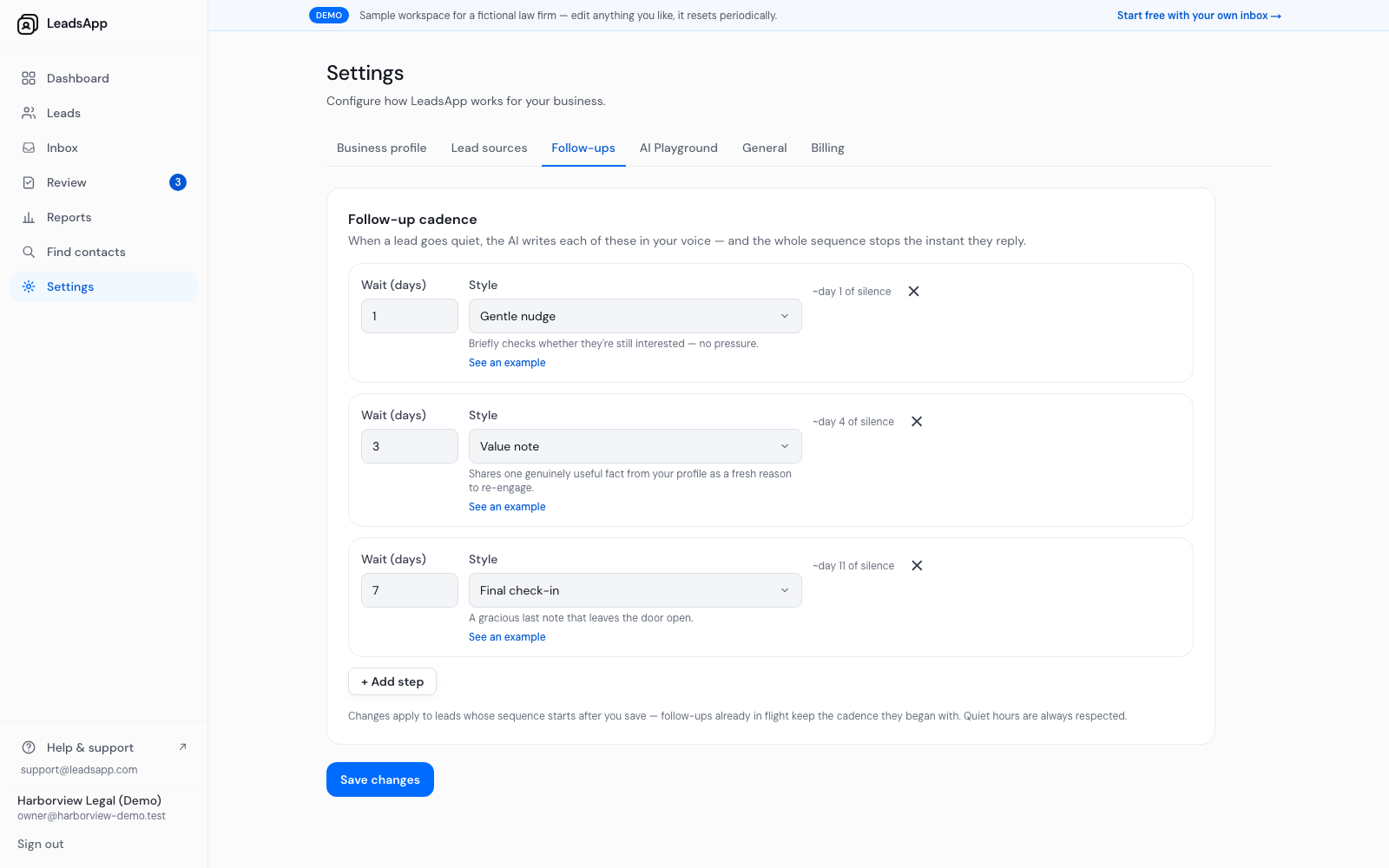
Three steps ship switched on. The wait is counted from the previous step, so out of the box a silent lead hears from you on about day 1, day 4 and day 11:
Wait 1 day — a gentle nudge that briefly checks whether they are still interested, with no pressure.
Wait 3 days — a value note that shares one genuinely useful fact from your profile as a fresh reason to re-engage.
Wait 7 days — a final check-in: a gracious last note that leaves the door open.
Changing it
Edit the wait on any step, change its style, remove a step, or add your own. Changes apply to leads whose sequence starts after you save — anything already in flight keeps the cadence it began with.
The sequence stops the instant a lead replies, and quiet hours are always respected.
Set your follow-up cadence