

LeadsApp can only answer the leads it can see, so this is the one step worth doing carefully. There are four ways in, and you can use as many as you like at once.
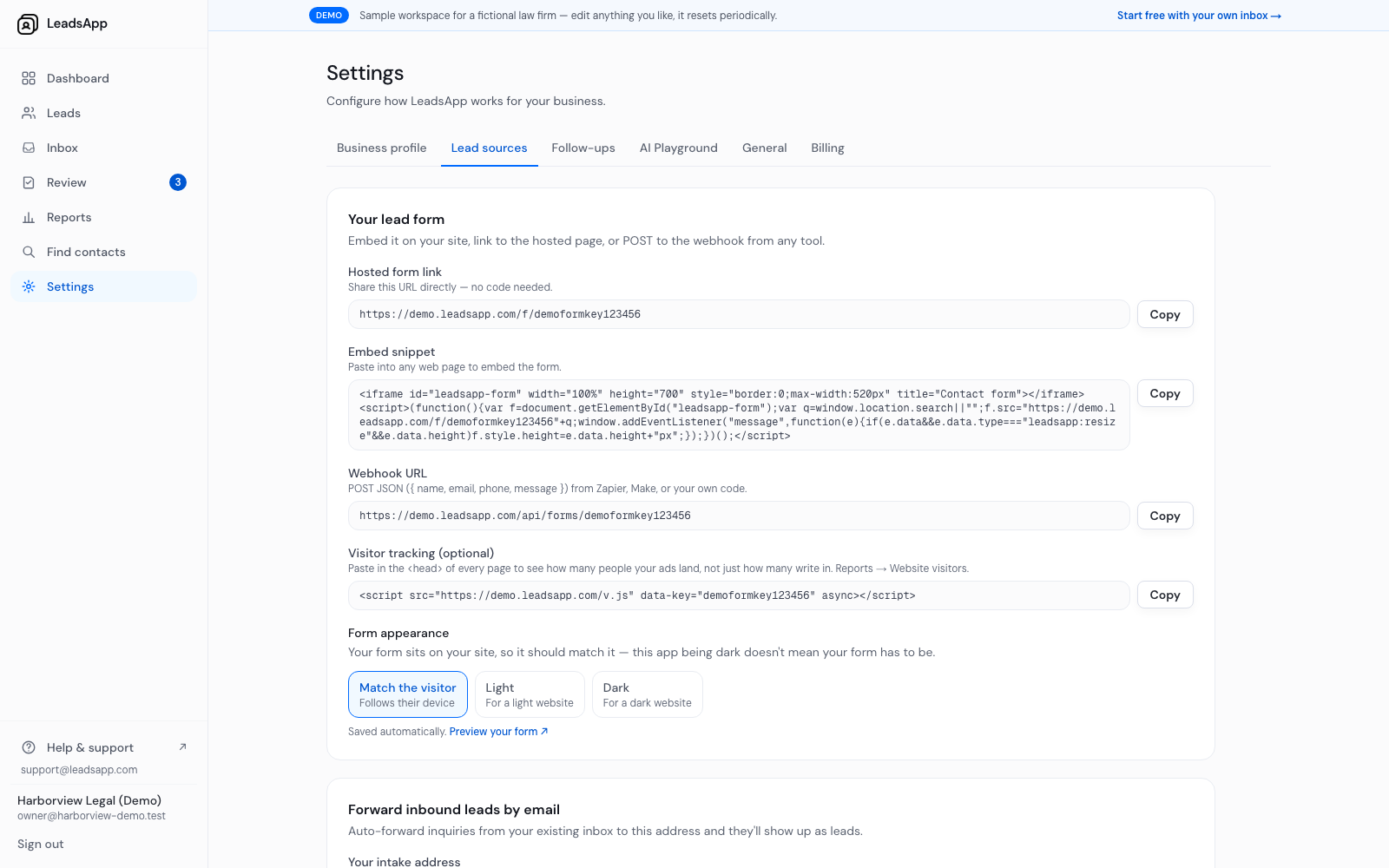
1. The hosted form
Every workspace gets a form on its own link. Share that link anywhere — a Google Business profile, an ad, an email signature — with no code at all.
2. The embed
Copy the embed snippet and paste it into any page on your site. It drops the same form in as an iframe that resizes itself to fit.
Under Form appearance you can set the form to match the visitor's own device, or force it light or dark. The app being dark does not mean your form has to be — match your own website.
3. The webhook
Post JSON with name, email, phone and message to your webhook URL from Zapier, Make, or your own code. Useful when your leads already land somewhere else first.
4. Forward your inquiry email
Every workspace gets an intake address. Set your existing inbox to auto-forward inquiries to it and they show up as leads, threaded properly, without changing the address customers already use.
Open your lead sources